NoisePeek · Decibel Meter for Android
See how loud life gets.
A quieter room. A louder fan. A different car. Watch sound levels change in real time, compare your checks, and share the results.
Free at launch, with no ads. Basic PDF reports and CSV export included.
Coming soon on Google Play
Explore NoisePeekNoisePeek Support · support@almostlab.xyz
Privacy policy · Delete feedback data
English
NoisePeek: Decibel Meter
See how loud life gets.
Watch sound levels change, compare before and after, and share your results.
Free at launch, with no ads. Live measurements, comparisons, basic PDF reports and CSV export are included without an in-app purchase. The interface is available in English, Spanish, Simplified Chinese and Traditional Chinese.
Five optional measurement scenarios
- Room check: measure background sound at home, in a hotel or at your workspace.
- Appliance noise: check fans, air conditioners and other devices, or compare settings.
- Before & after: compare readings before and after closing a window or changing a room.
- Neighbor noise: keep a timed record of the noise you hear indoors.
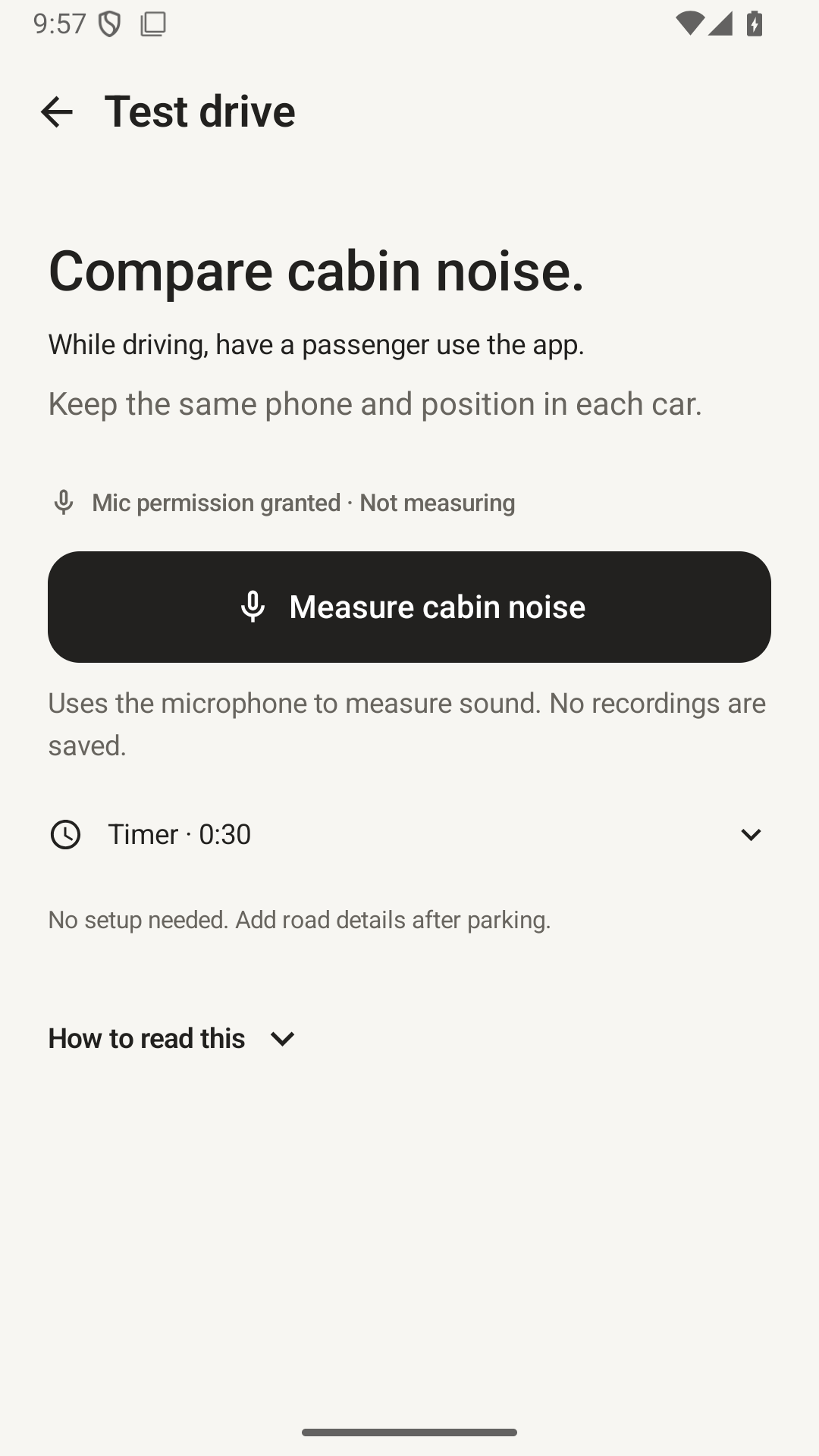
- Test drive: compare cabin noise using the same phone and consistent conditions.
App details
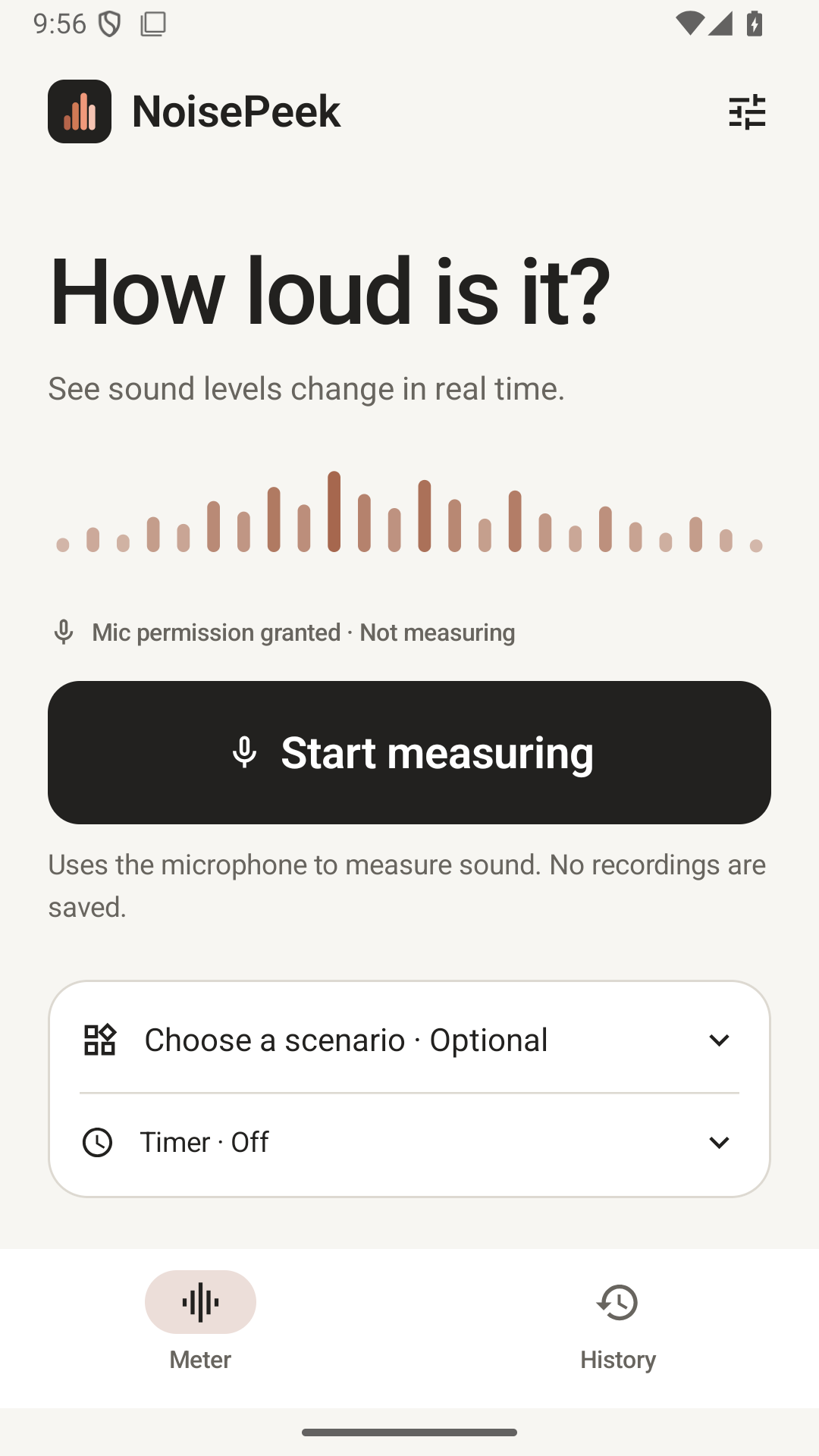
See how loud your surroundings are. NoisePeek is a simple Android decibel meter with live readings, sound-level trends and reports you can share. Tap Start to measure; no setup form or first-use calibration is required.

Free at launch, with no ads. Live measurements, comparisons, basic PDF reports and CSV export are included without an in-app purchase. The interface is available in English, Spanish, Simplified Chinese and Traditional Chinese.

Five optional measurement scenarios
• Room check: measure background sound at home, in a hotel or at your workspace.
• Appliance noise: check fans, air conditioners and other devices, or compare settings.
• Before & after: compare readings before and after closing a window or changing a room.
• Neighbor noise: keep a timed record of the noise you hear indoors.
• Test drive: compare cabin noise using the same phone and consistent conditions.
You can also start a general measurement without selecting a scenario. Scenarios guide the check; the app does not identify sound sources automatically.

A clear measurement flow
• Measure continuously and finish manually. An optional timer can stop after 30 seconds, 60 seconds or 5 minutes.
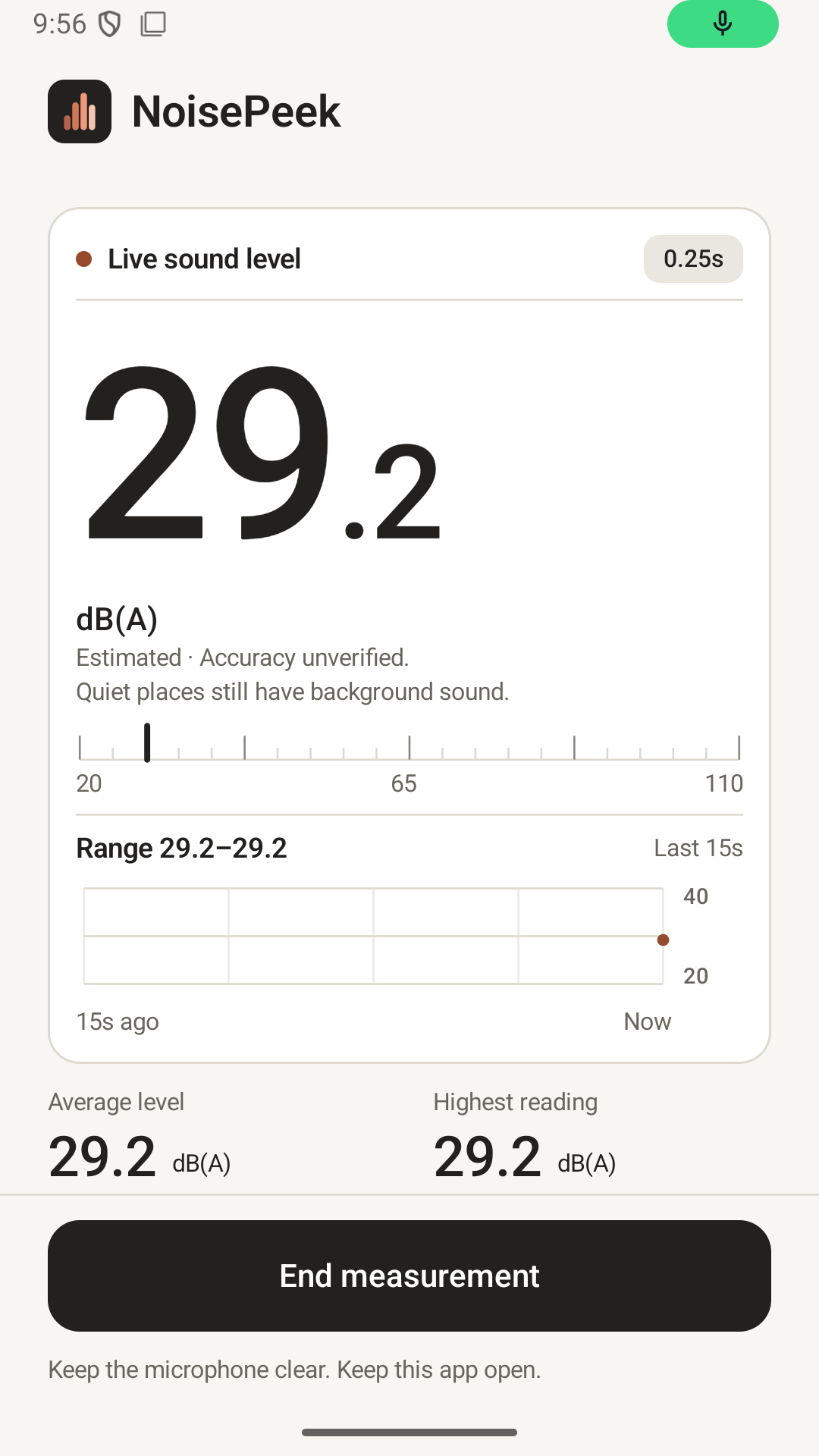
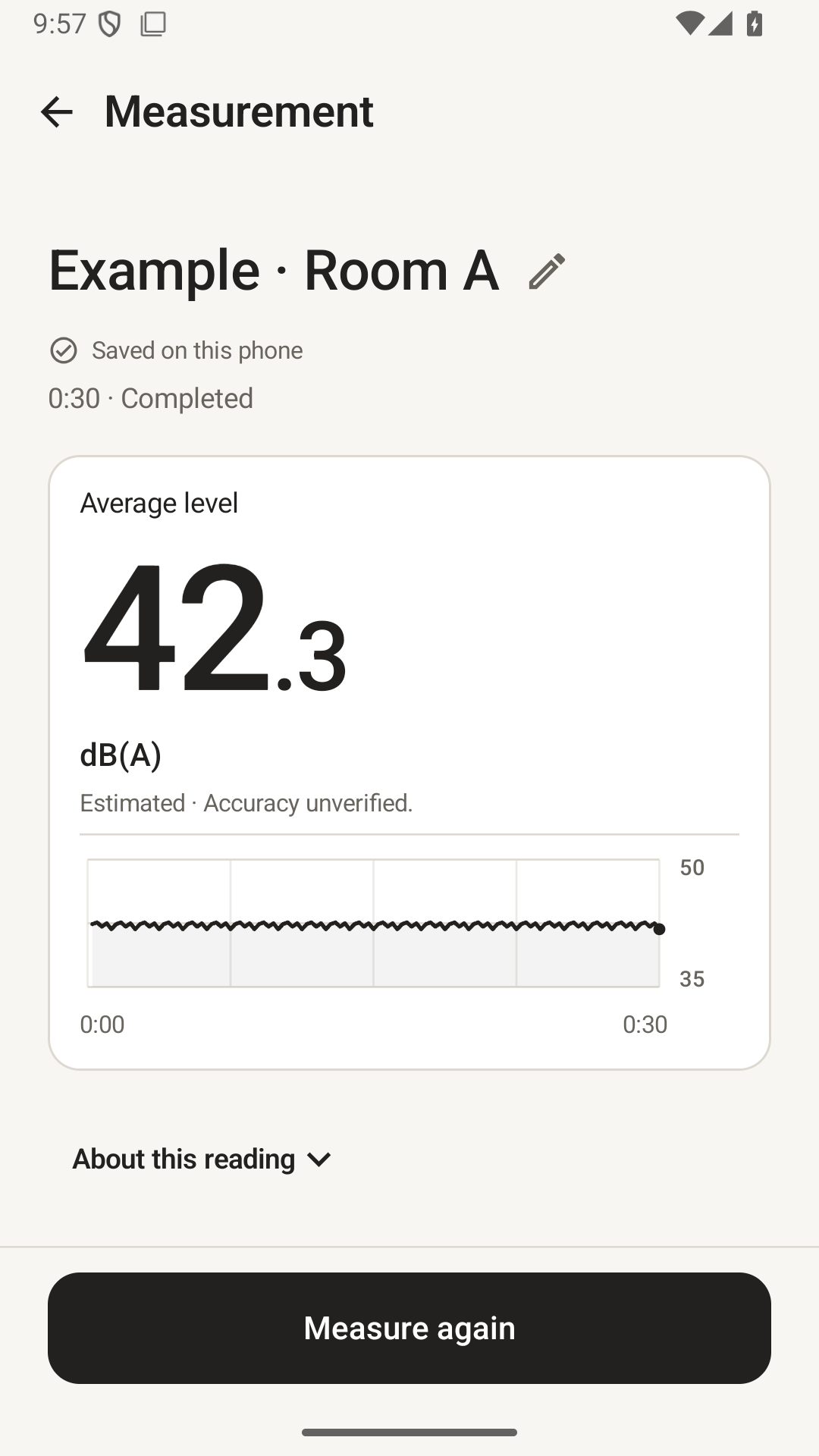
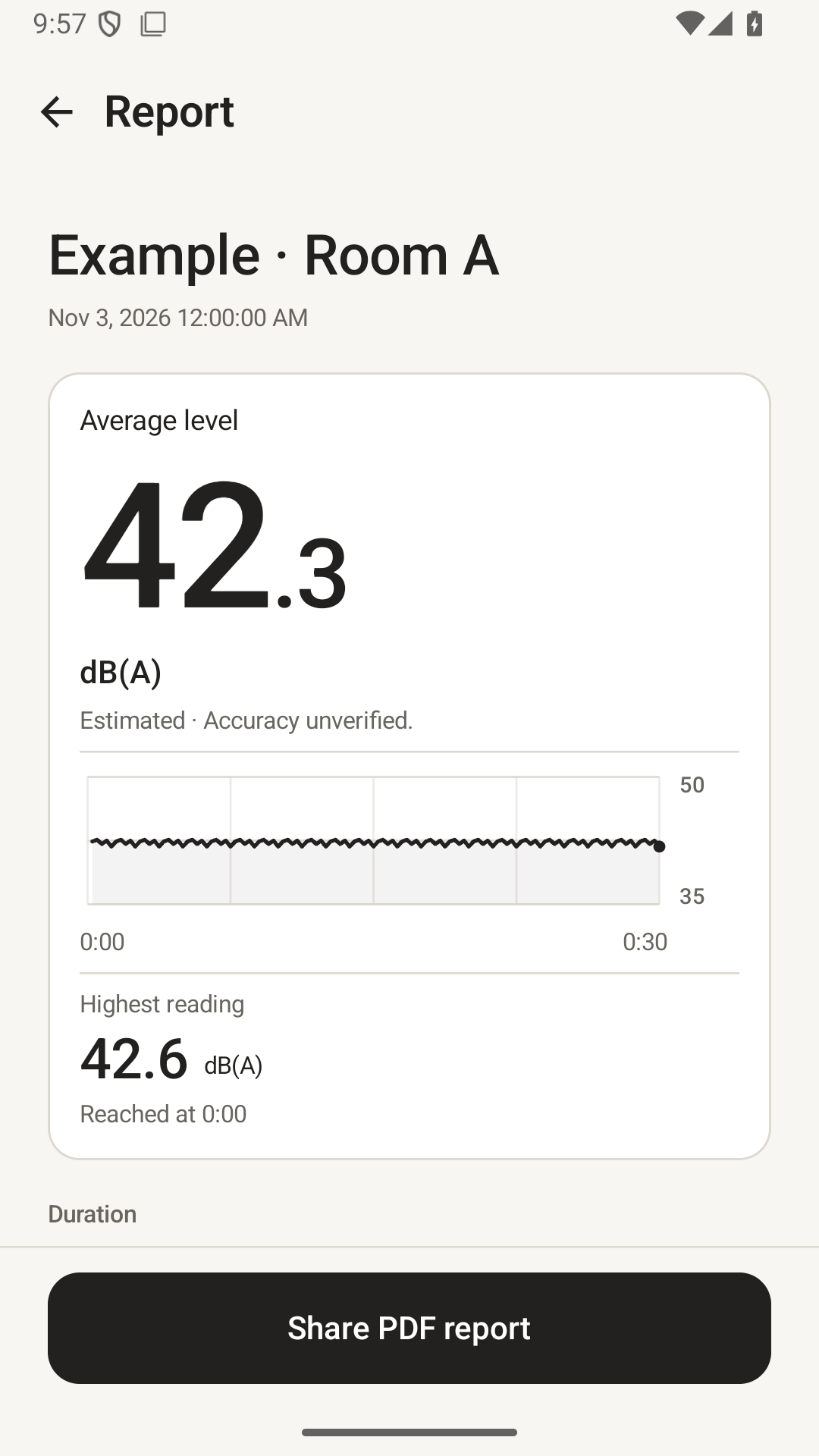
• See the current reading, average level and highest reading.
• Measurements are named automatically and saved when there is space. No form or first-use calibration is required.
• Keep the app open while measuring. Leaving it ends the check and keeps available readings as a partial result.

Compare with context
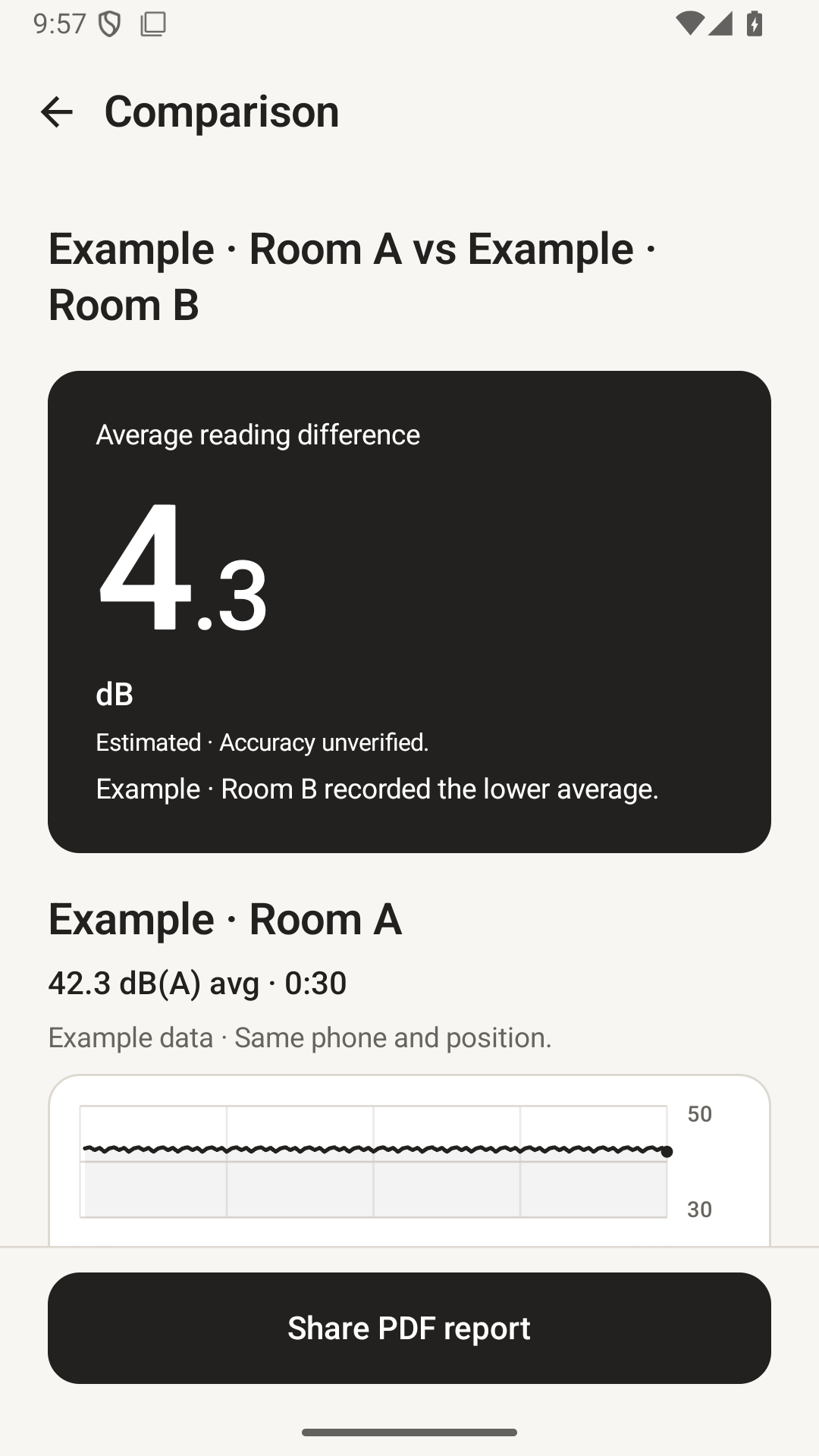
Ordinary checks may have different lengths; both durations and their context are shown. Test Drive comparisons still require matching lengths.
Compare two compatible checks using the same phone, microphone input and reading basis. Test Drive lets you add an optional City or Highway label and notes after parking. Keep phone position, route, speed and cabin settings consistent. A passenger should operate the app while a vehicle is moving. Cabin readings are not a sound-insulation rating.

Included in this version
Live measurements, Test Drive, compatible comparisons, PDF reports and CSV export are available without an in-app purchase. Save up to 10 measurements locally. When history is full, you can still measure and review or export the latest result. To save it, delete a saved record yourself and tap Save measurement in History.

Private by design
No account or ads. Audio is processed on your phone and never saved. Numeric measurements stay in local app storage. Reports leave the app only when you choose a receiving app. Uninstalling or clearing app storage removes local records and settings; copies kept by another app remain there.

Make it yours
Use English, Spanish, Simplified Chinese or Traditional Chinese. Choose Neutral, Copper or Plum, with light, dark or system appearance.

Understand the reading
Readings are phone estimates. Default dB(A) values use Android nominal microphone-input assumptions; device accuracy has not been verified. Optional adjustment with a real reference sound level meter is available. Average level combines captured sound energy; the highest reading is the highest 250 ms energy interval, not an instantaneous acoustic peak or an IEC Fast/Slow maximum. NoisePeek is not a certified sound level meter or a tool for legal or occupational compliance.

Long sessions summarize older trend intervals while retaining full-session energy averages, highest 250 ms readings, quality counts and recent detail. CSV identifies summarized intervals.
Español
NoisePeek: Sonómetro
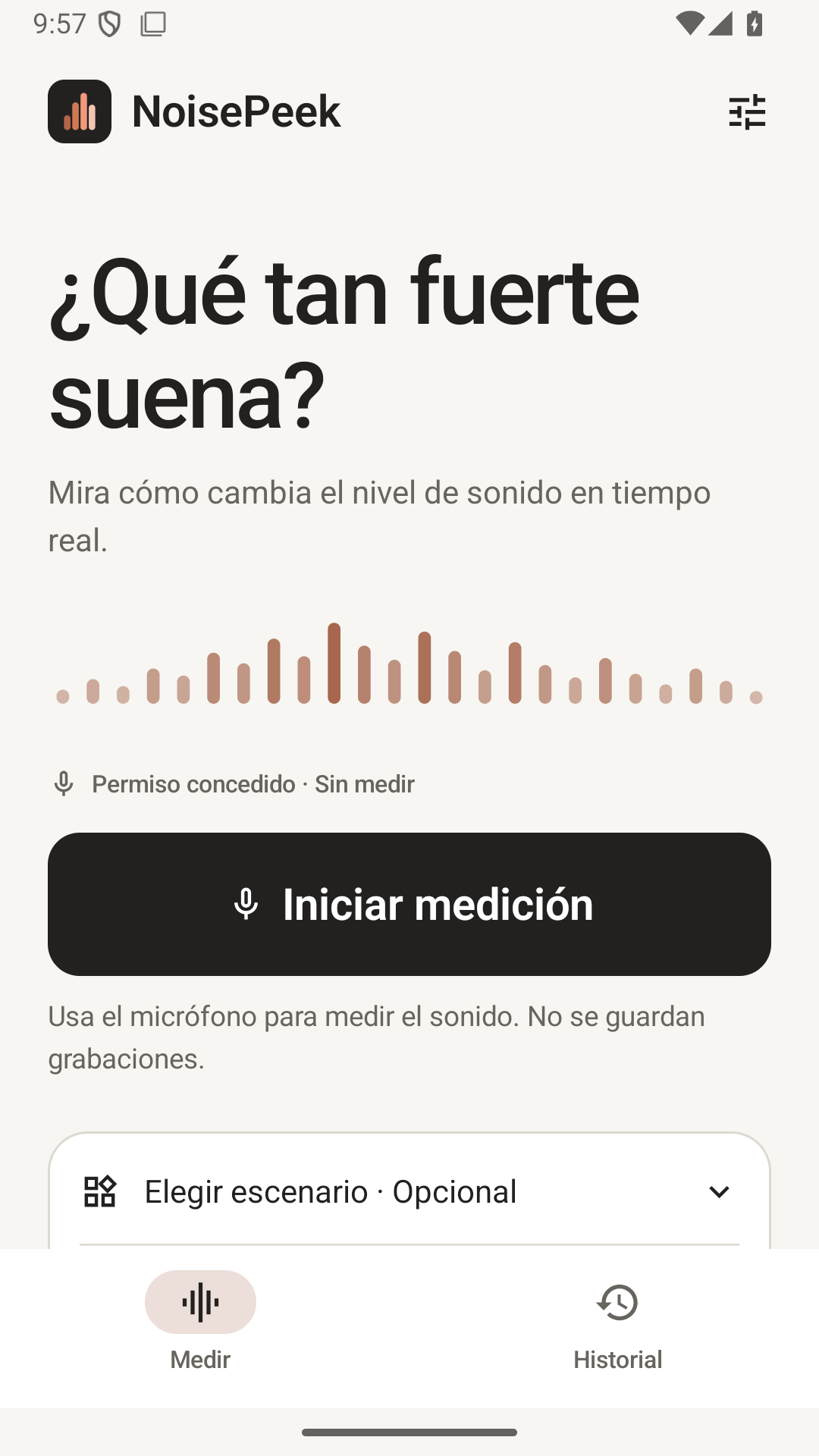
Descubre cuánto ruido hay a tu alrededor.
Observa el nivel sonoro en tiempo real, compara antes y después y comparte tus resultados.
Gratis en el lanzamiento y sin anuncios. Incluye mediciones, comparaciones, informes PDF básicos y exportación CSV sin compras dentro de la app. Interfaz en inglés, español, chino simplificado y chino tradicional.
Cinco opciones de medición
- Interiores: casa, hotel o lugar de trabajo.
- Aparatos: ventiladores, aire acondicionado y otros equipos.
- Antes y después: compara cambios en una habitación.
- Vecinos: registra el ruido que escuchas en interiores.
- Prueba de conducción: compara el ruido dentro del vehículo.
Detalles de la app
Mide el ruido a tu alrededor con NoisePeek, un medidor de decibelios para Android con lecturas en tiempo real y reportes para compartir.

Gratis en el lanzamiento y sin anuncios. Incluye mediciones, comparaciones, informes PDF básicos y exportación CSV sin compras dentro de la app. Interfaz en inglés, español, chino simplificado y chino tradicional.

Cinco opciones de medición
• Interiores: casa, hotel o lugar de trabajo.
• Aparatos: ventiladores, aire acondicionado y otros equipos.
• Antes y después: compara cambios en una habitación.
• Vecinos: registra el ruido que escuchas en interiores.
• Prueba de conducción: compara el ruido dentro del vehículo.
También puedes medir sin elegir una opción. La app no identifica automáticamente las fuentes del sonido.

Medir sin complicaciones
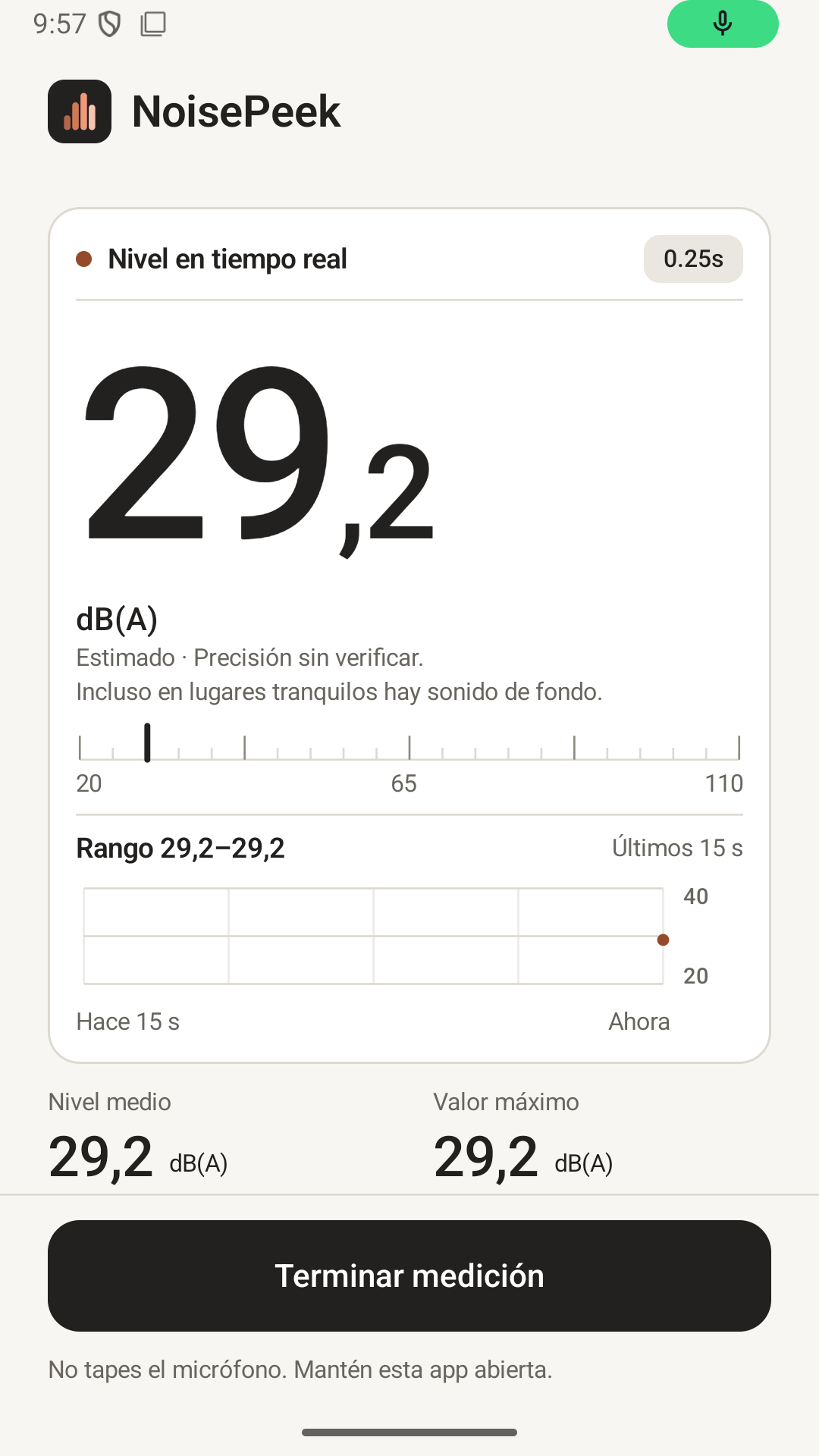
• Mide de forma continua y finaliza cuando quieras. El temporizador opcional permite detener la medición tras 30 segundos, 60 segundos o 5 minutos.
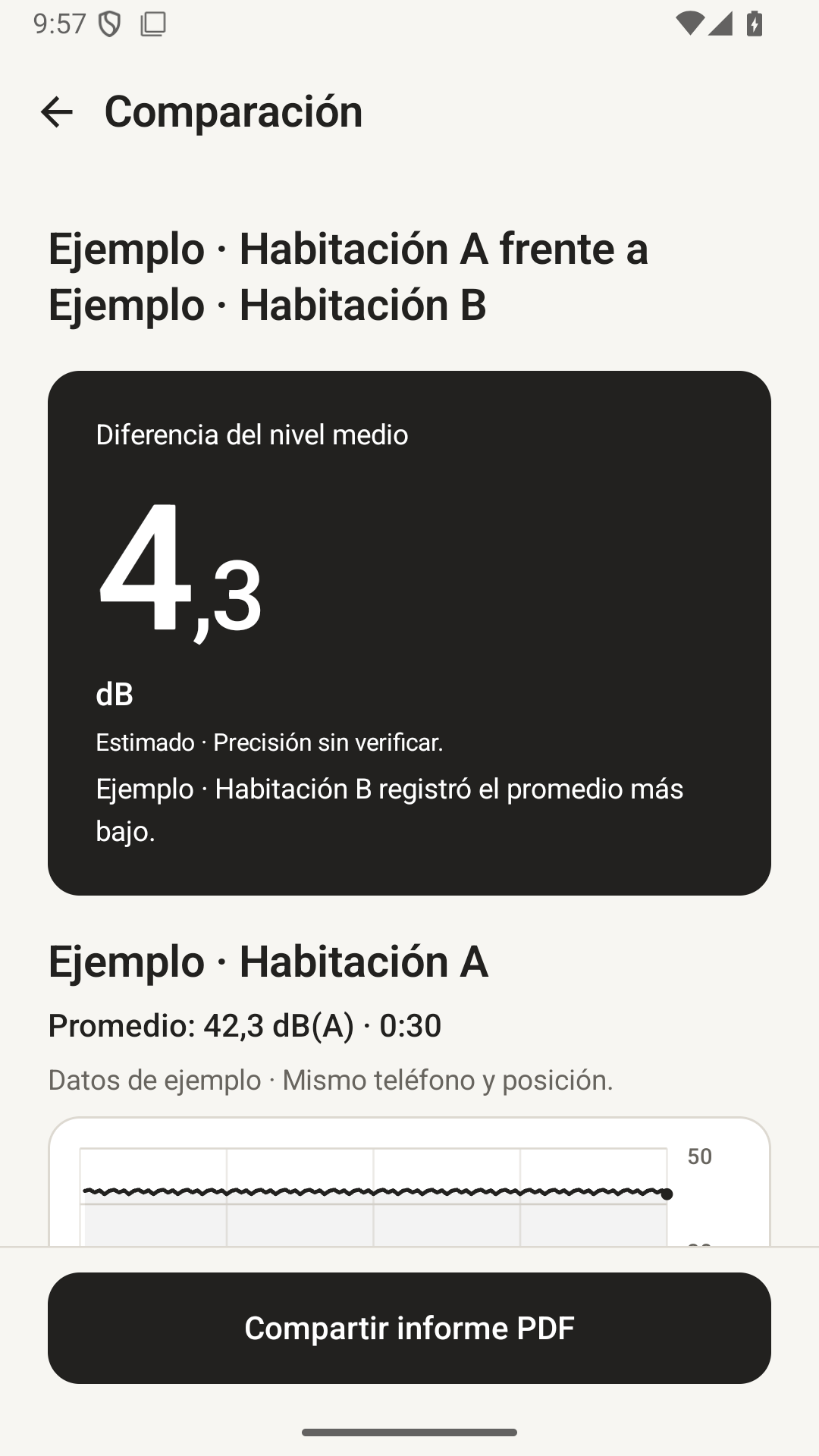
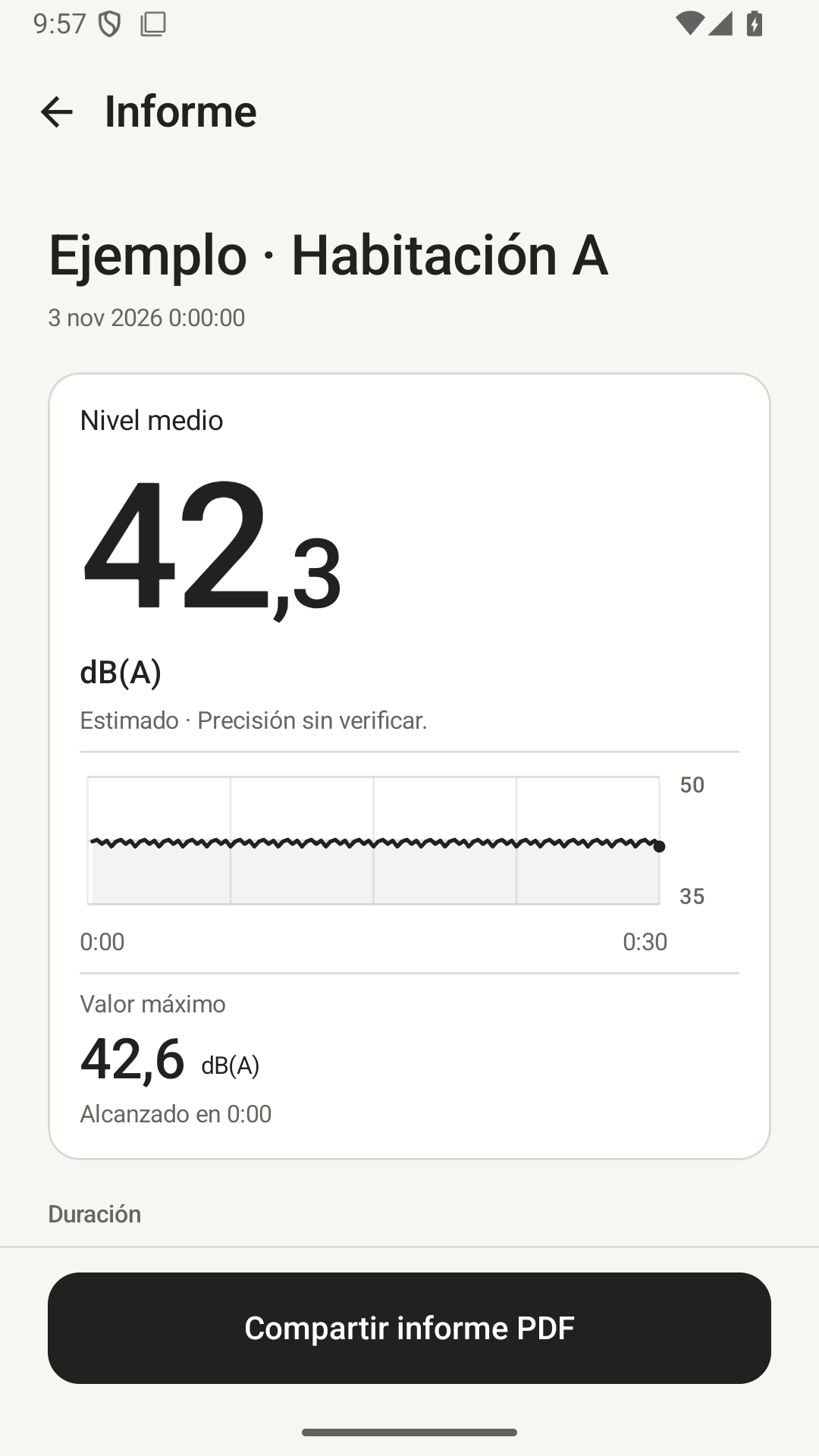
• Consulta la lectura actual, el promedio y el nivel máximo registrado.
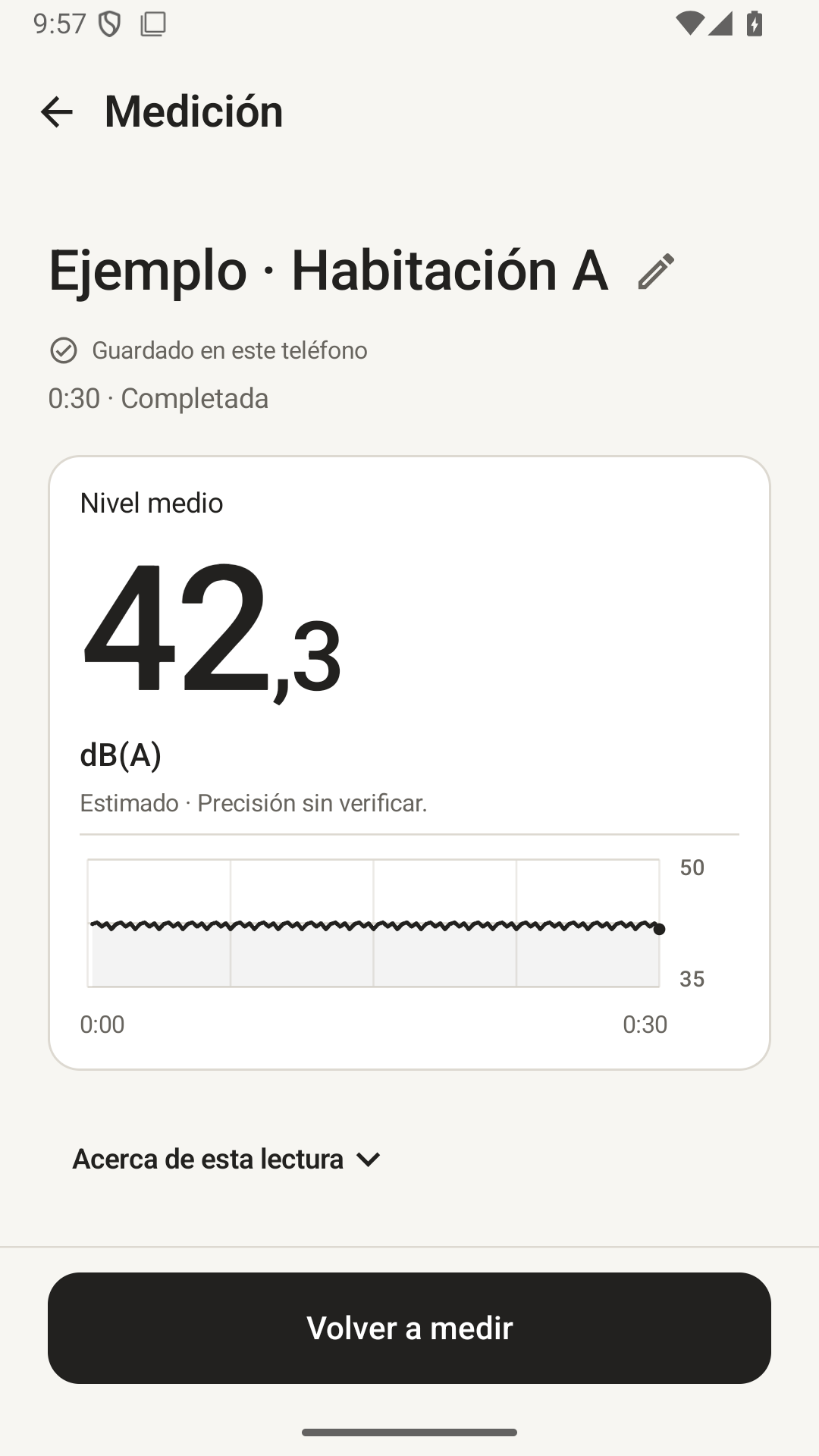
• Las mediciones reciben un nombre automático y se guardan si hay espacio. No hay formularios ni calibración obligatoria al empezar.
• Mantén la app abierta mientras mides. Al salir, la medición termina y las lecturas disponibles se conservan como resultado parcial.

Compara con contexto
Las mediciones generales pueden tener duraciones distintas; se muestran ambas y su contexto. Las comparaciones de conducción siguen requiriendo la misma duración.
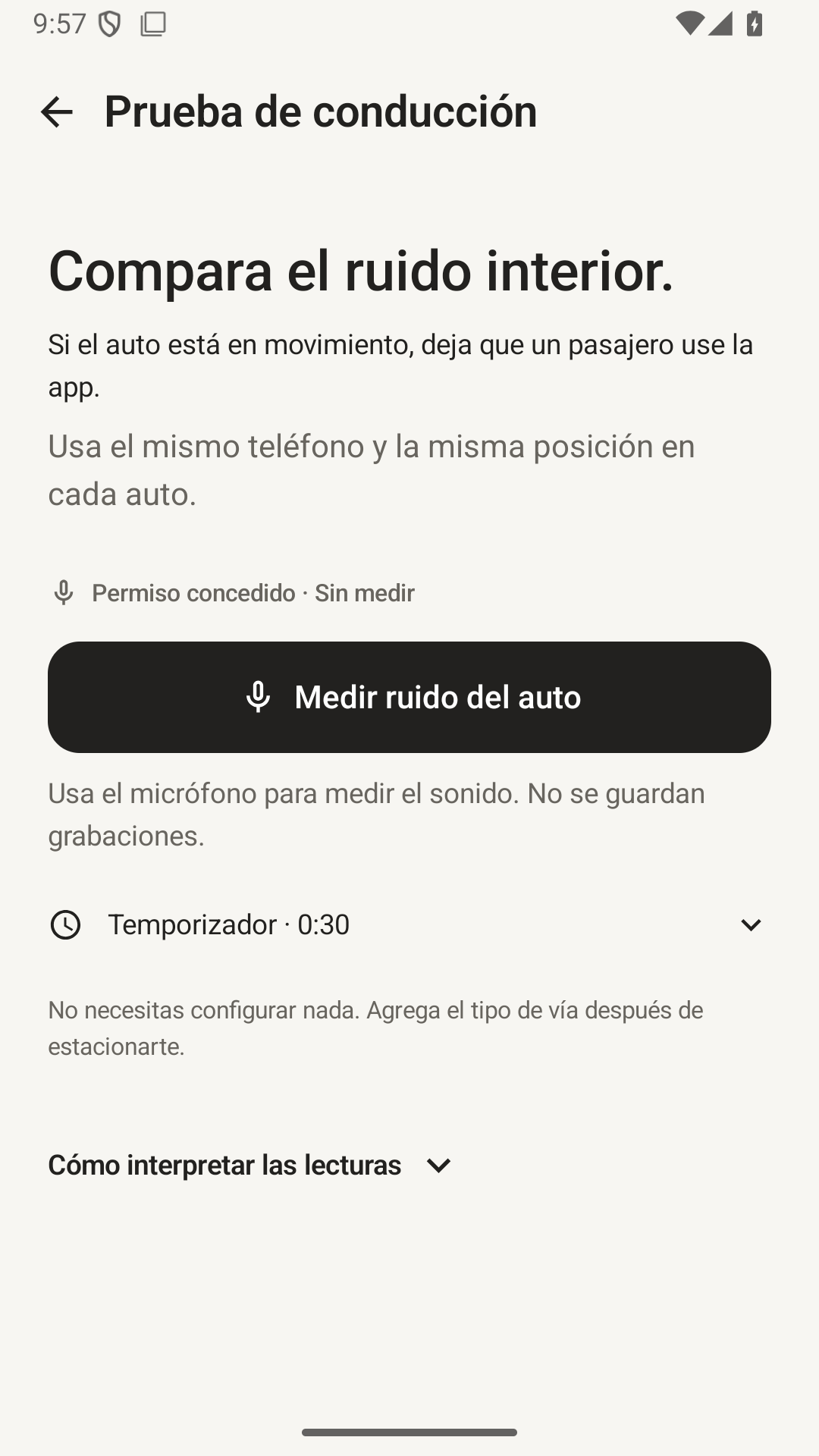
Compara dos mediciones compatibles con el mismo teléfono, la misma entrada de micrófono y la misma base de lectura. En Prueba de conducción puedes añadir Ciudad o Autopista y notas de forma opcional después de estacionar. Mantén constantes la posición del teléfono, la ruta, la velocidad y los ajustes del habitáculo. Durante la marcha, debe usar la app un pasajero. Las lecturas no constituyen una clasificación de aislamiento acústico.

Incluido en esta versión
Las mediciones en tiempo real, las pruebas de conducción, las comparaciones compatibles y la exportación PDF y CSV no requieren compras dentro de la app. Puedes guardar hasta 10 mediciones en el dispositivo. Aunque el historial esté lleno, puedes medir y consultar o exportar el último resultado. Para guardarlo, elimina una medición guardada y toca Guardar medición en el Historial.

Tus datos, en tu teléfono
Sin cuenta ni anuncios. El audio se procesa en el teléfono y no se guarda. Las mediciones numéricas permanecen en el almacenamiento local de la app. Los informes se comparten solo cuando eliges una app receptora. Desinstalar la app o borrar su almacenamiento elimina los registros y ajustes locales; no elimina las copias que otras apps conservan.

A tu gusto
Disponible en inglés, español, chino simplificado y chino tradicional. Elige una paleta neutra, cobriza o ciruela, con apariencia clara, oscura o del sistema.

Qué significan las lecturas
Son estimaciones del teléfono. Los valores dB(A) predeterminados utilizan supuestos de respuesta nominal de entrada de Android; la exactitud del dispositivo no se ha verificado. Puedes ajustar la lectura con un sonómetro de referencia real. El promedio combina la energía sonora captada; el máximo es el nivel más alto de los intervalos de 250 ms, no un pico acústico instantáneo ni un máximo IEC Fast/Slow. NoisePeek no es un sonómetro certificado ni una herramienta para demostrar cumplimiento legal o laboral.

En sesiones largas, la tendencia anterior se resume. Se conservan el promedio de energía de toda la sesión, la lectura máxima de 250 ms, los recuentos de calidad y el detalle reciente. El CSV identifica los intervalos resumidos.
简体中文
NoisePeek 分贝仪
听得到的变化,看得见的分贝。
房间安静了多少?风扇哪个档位更吵?实时查看声音变化,比较前后差异,把结果导出成报告。
首发免费、无广告。实时测量、记录对比、基础 PDF 报告和 CSV 导出均无需内购。界面支持英语、西班牙语、简体中文和繁体中文。
五个可选测量场景
- 房间测量:查看家中、酒店或办公空间的背景声音。
- 家电噪声:测量风扇、空调等设备,比较不同档位。
- 前后对比:比较关窗或调整房间前后的声音变化。
- 邻里噪声:记录室内听到的噪声及测量时间。
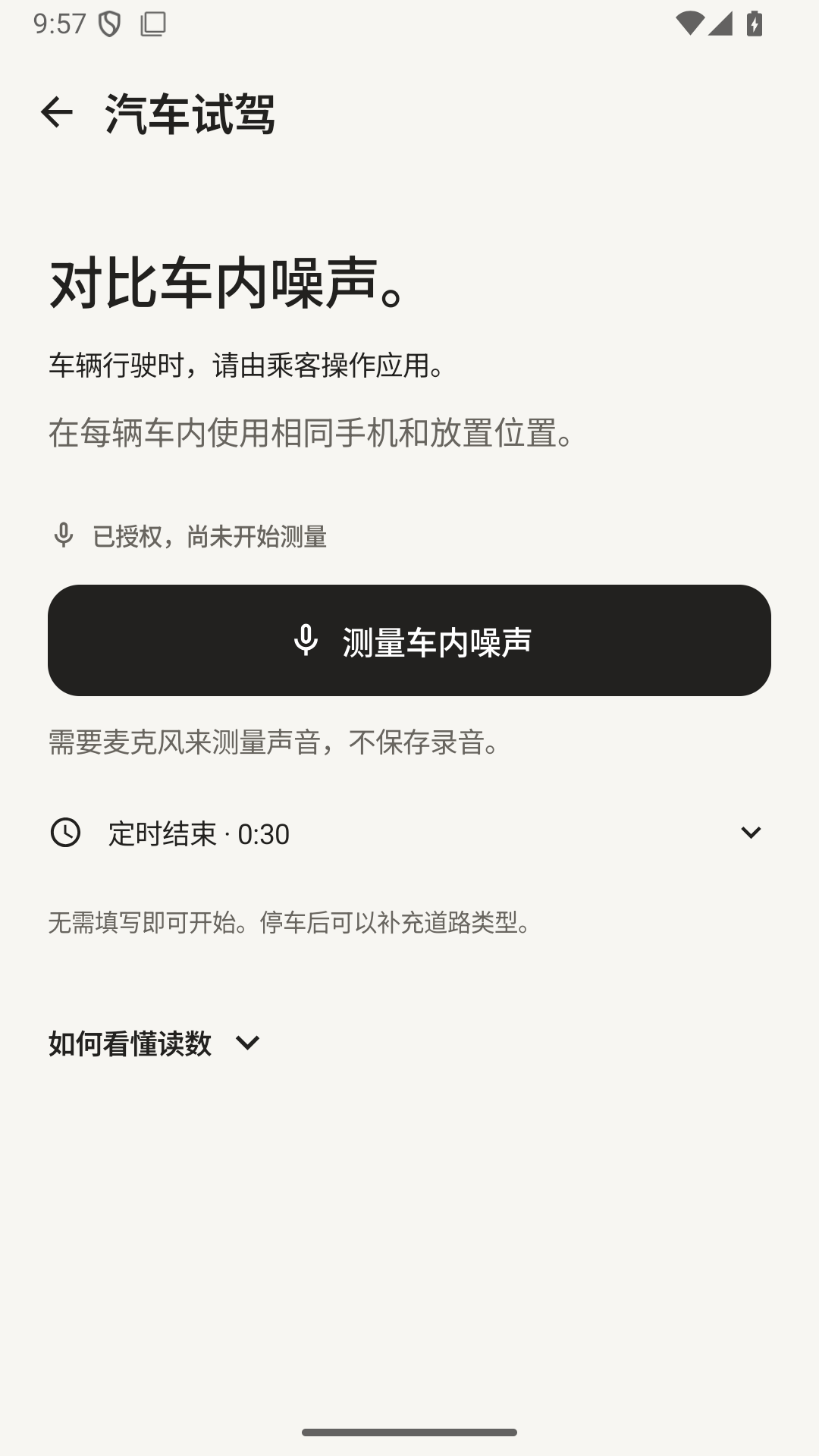
- 汽车试驾:使用同一手机,在相近条件下比较座舱噪声。
应用详情
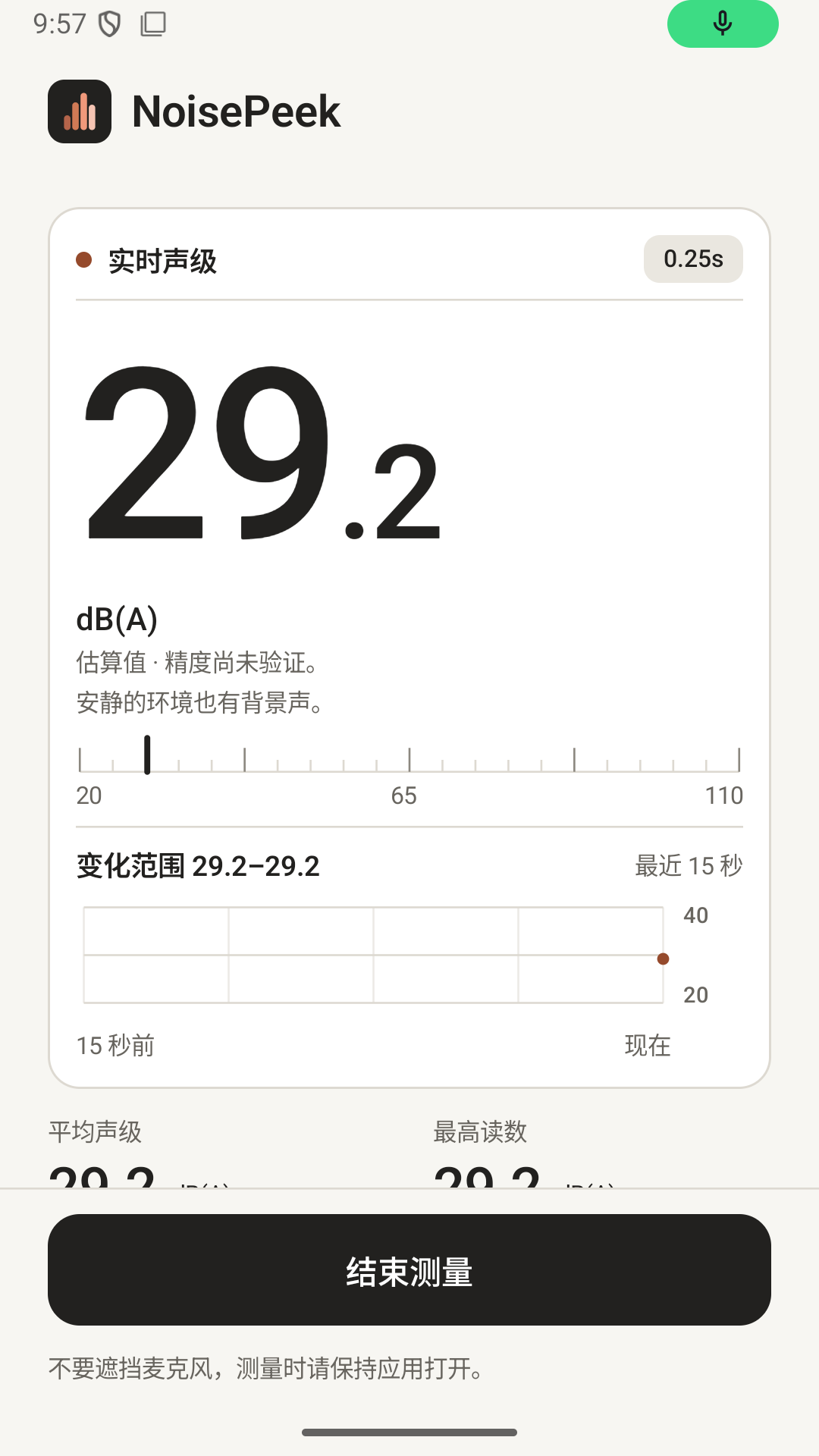
周围到底有多吵?用 NoisePeek 实时查看声音大小、观察变化趋势,并分享测量报告。点击开始即可测量,无需填写表单,也无需首次手动校准。

首发免费、无广告。实时测量、记录对比、基础 PDF 报告和 CSV 导出均无需内购。界面支持英语、西班牙语、简体中文和繁体中文。

五个可选测量场景
• 房间测量:查看家中、酒店或办公空间的背景声音。
• 家电噪声:测量风扇、空调等设备,比较不同档位。
• 前后对比:比较关窗或调整房间前后的声音变化。
• 邻里噪声:记录室内听到的噪声及测量时间。
• 汽车试驾:使用同一手机,在相近条件下比较座舱噪声。
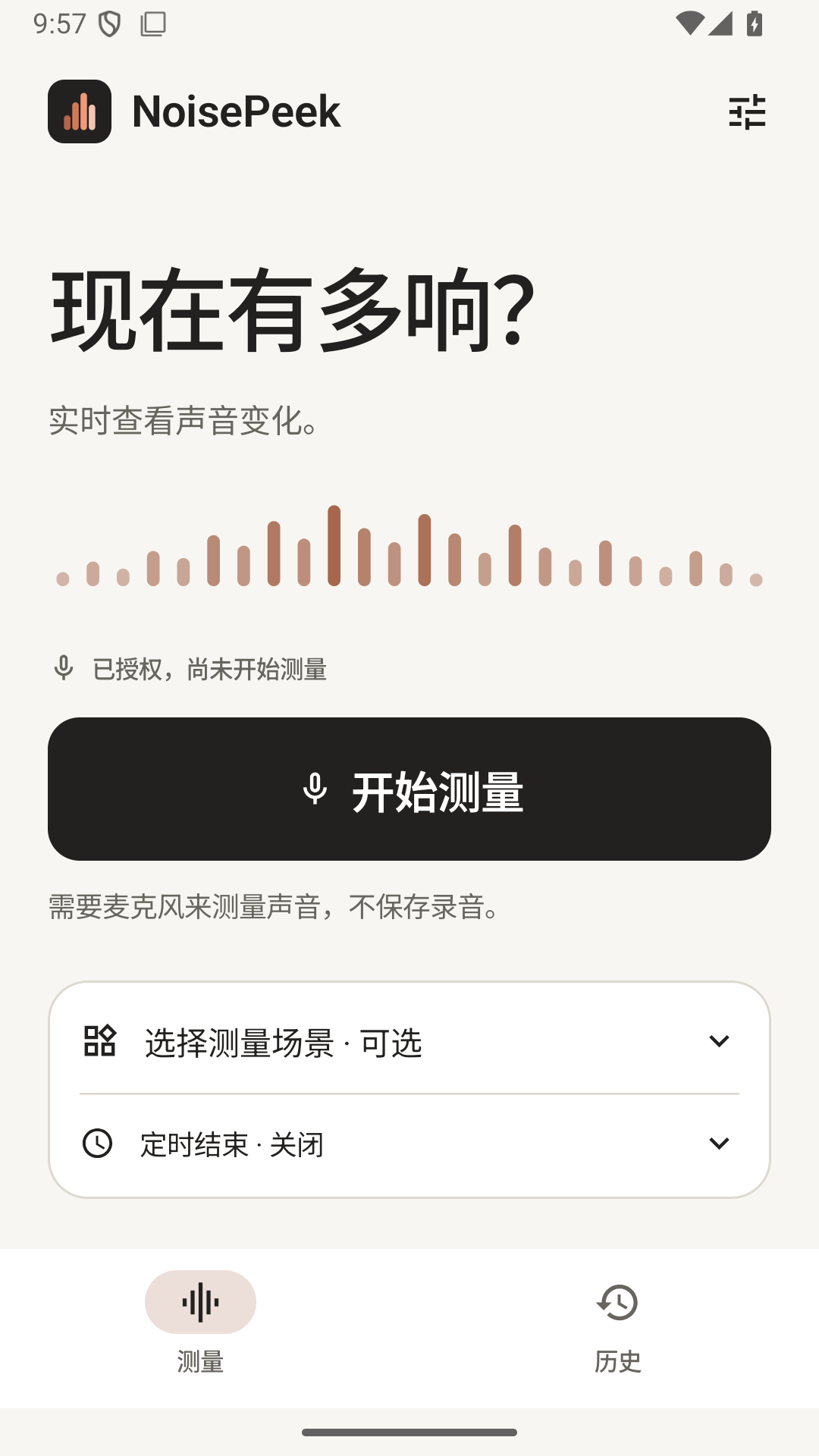
也可不选场景,直接开始普通测量。场景用于引导测量,不会自动识别声音来源。

轻松开始测量
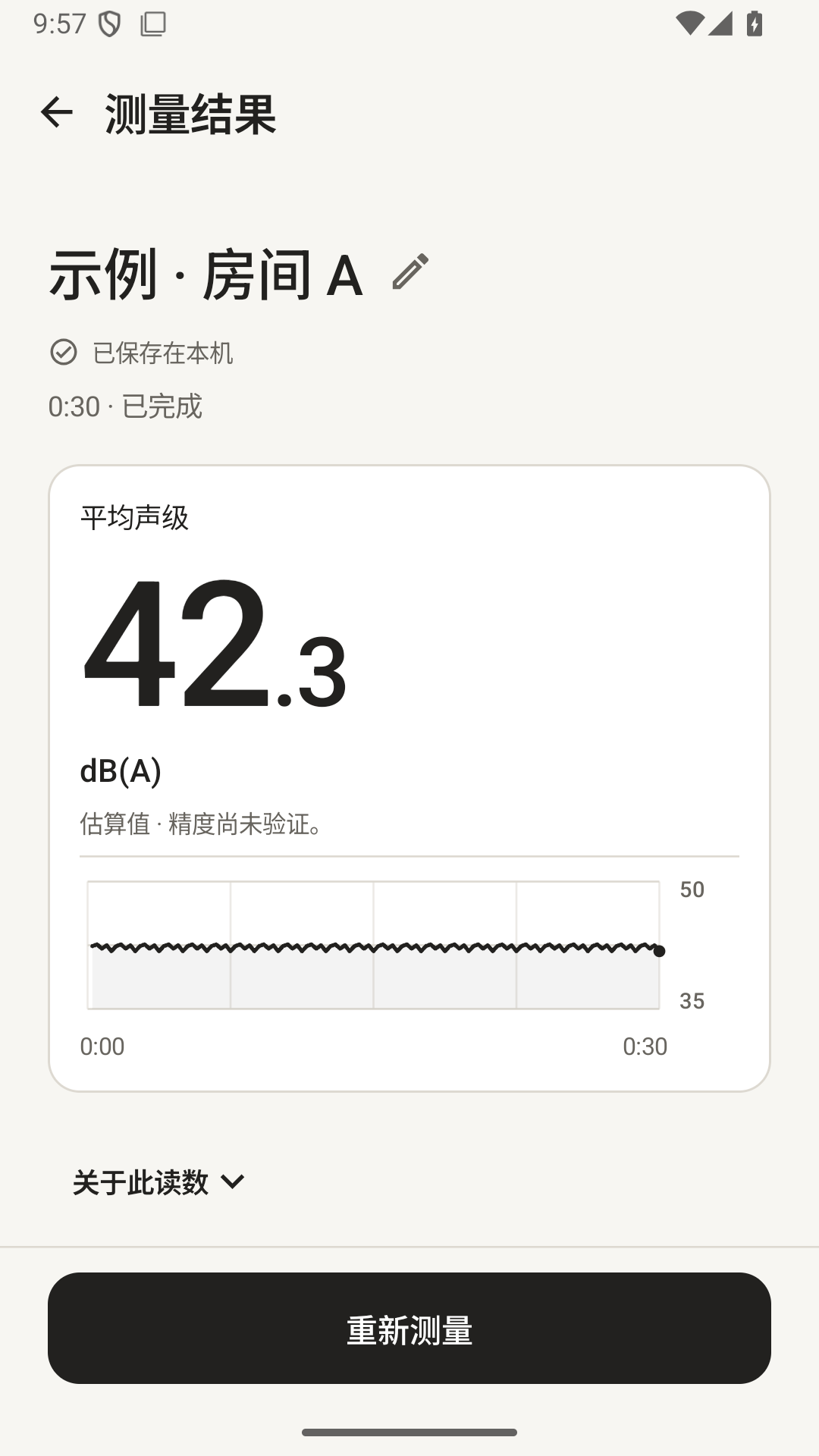
• 默认持续实时测量,手动结束;也可选 30 秒、60 秒或 5 分钟定时结束。
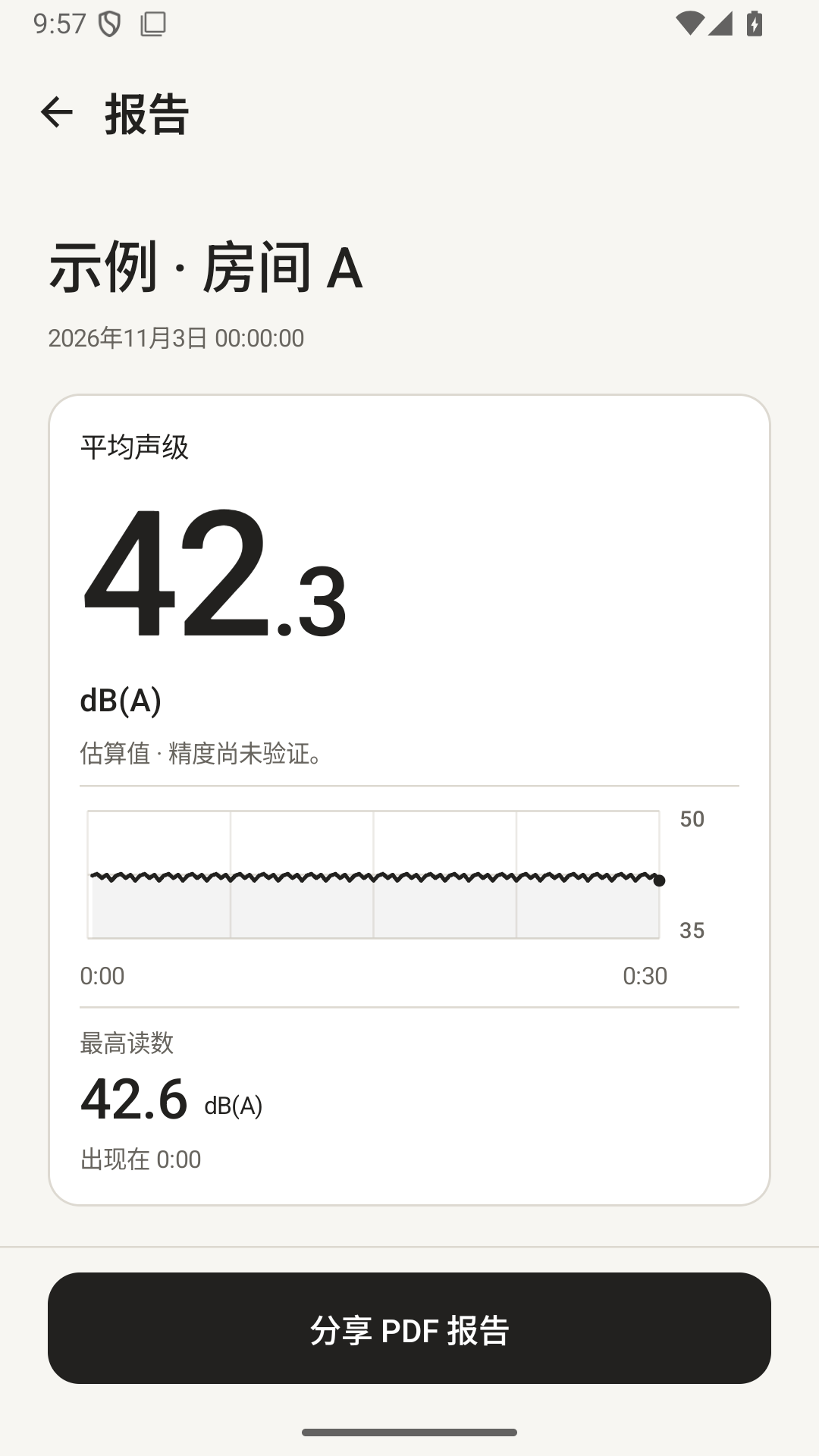
• 查看当前读数、平均声级和最高读数。
• 自动命名,有空位时自动保存,无需填写表单,也无需首次手动校准。
• 测量时请保持 App 在前台。离开 App 会结束测量,并将已有读数保留为部分结果。

结合条件比较
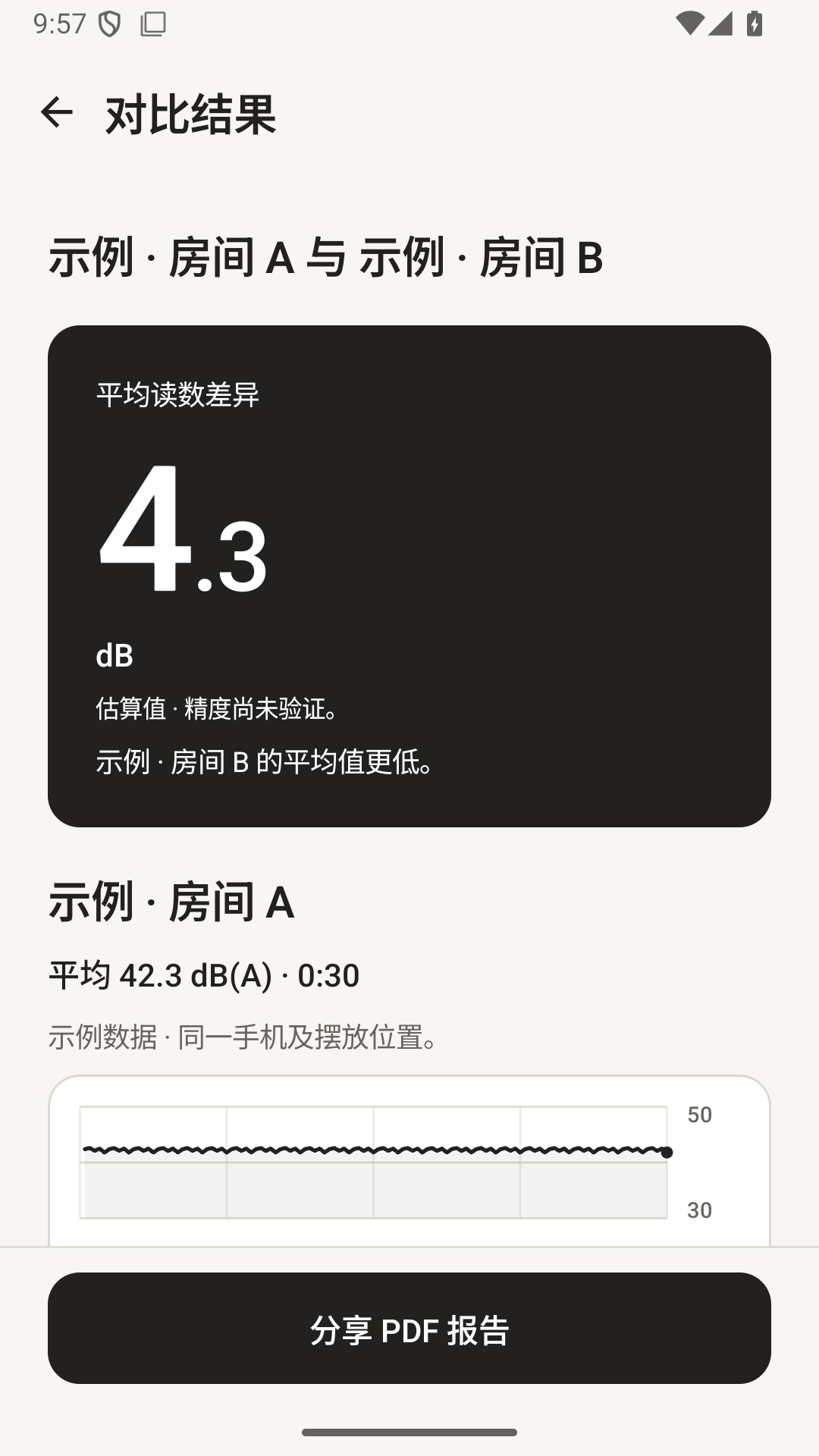
普通测量允许对比不同时长的记录,同时注明各自测量时段;汽车试驾对比仍要求时长一致。
使用同一手机、麦克风输入和读数依据,比较两条兼容记录。汽车试驾无需先选道路;停车后可选填城市道路、高速及备注。比较时请保持手机位置、路线、速度和座舱设置一致。行驶过程中应由乘客操作。座舱读数不是汽车隔音评级。

当前版本包含的功能
实时测量、汽车试驾、兼容记录对比、PDF 报告和 CSV 导出均无需内购。本地最多保存 10 条测量记录。历史满额时仍可继续测量,也可查看或导出本次结果。若要保存,手动删除一条旧记录,再在历史页点「保存测量」。

数据留在本机
无需账号,没有广告。音频只在手机上处理,不保存录音。数值记录保存在 App 的本地存储中;只有你选择接收 App 后才会分享报告。卸载或清空 App 存储会删除本地记录与设置,不会删除其他 App 已保留的副本。

选择适合你的界面
支持英语、西班牙语、简体中文和繁体中文,可选择黑白暖灰、暖铜色或深梅色主题,以及浅色、深色或跟随系统的外观。

正确理解读数
读数属于手机估算。默认 dB(A) 根据 Android 名义麦克风输入响应换算,尚未验证具体设备的准确度;可选使用真实参考声级计调整。平均值整合采集的声音能量;最高读数是最高的 250 ms 能量采样区间,不是瞬时声学峰值,也不是 IEC Fast/Slow 最大值。NoisePeek 不是认证声级计,不能用于证明法律或职业噪声合规。

长时间测量会汇总较早的趋势,保留全程能量平均值、最高 250 毫秒读数、异常计数与近期明细。CSV 会标明汇总区间。
繁體中文
NoisePeek 分貝計
聽得到的變化,看得見的分貝。
房間安靜了多少?風扇哪個設定更吵?即時查看聲音變化,比較前後差異,將結果匯出成報告。
首發免費、無廣告。即時測量、紀錄比較、基礎 PDF 報告與 CSV 匯出均不需 App 內購買。介面支援英文、西班牙文、簡體中文與繁體中文。
五個可選測量情境
- 房間測量:查看家中、飯店或辦公空間的背景聲音。
- 家電噪音:測量風扇、冷氣等設備,比較不同設定。
- 前後比較:比較關窗或調整房間前後的聲音變化。
- 鄰里噪音:記錄室內聽到的噪音與測量時間。
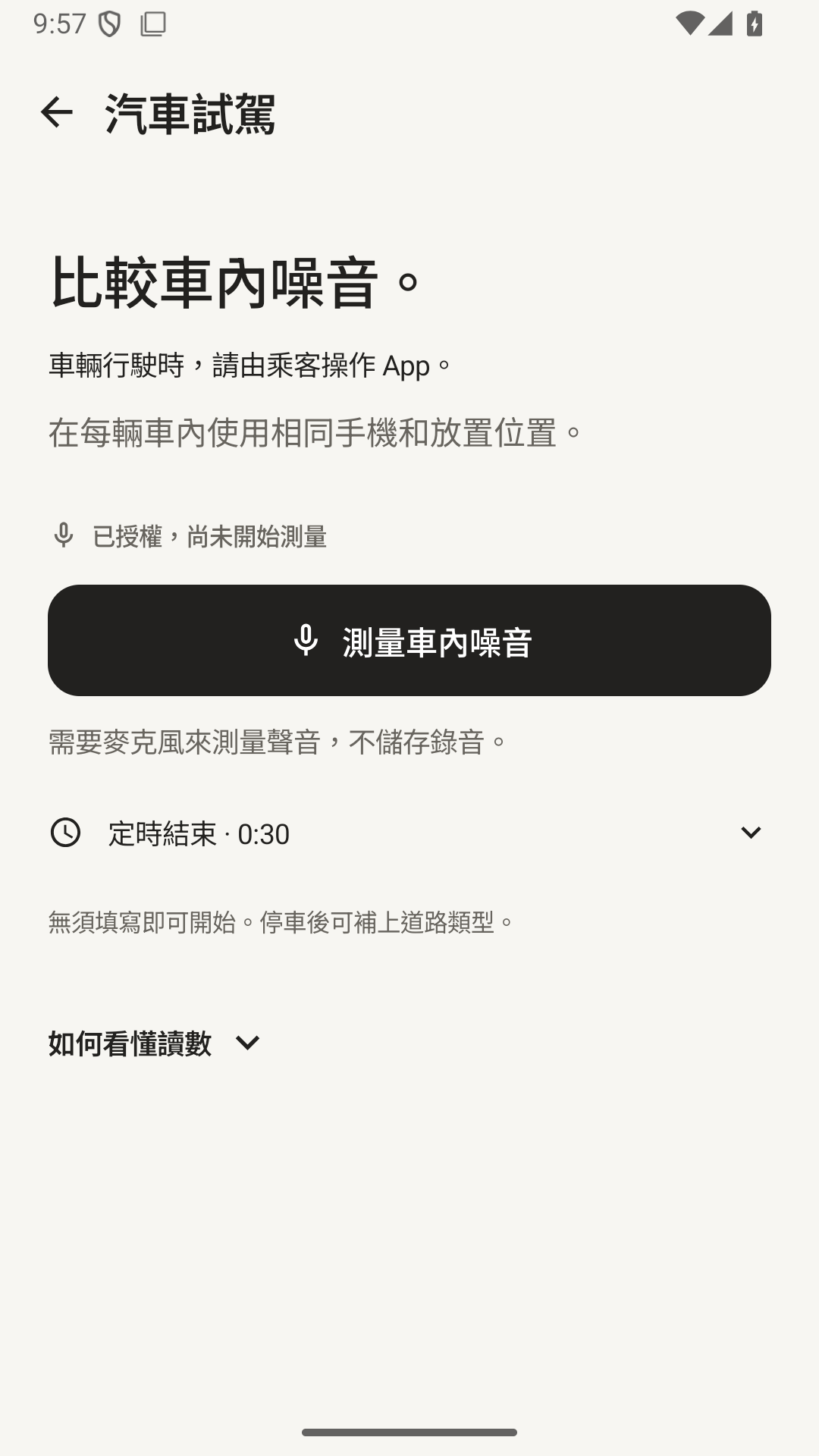
- 汽車試駕:使用同一支手機,在相近條件下比較車內噪音。
App 詳情
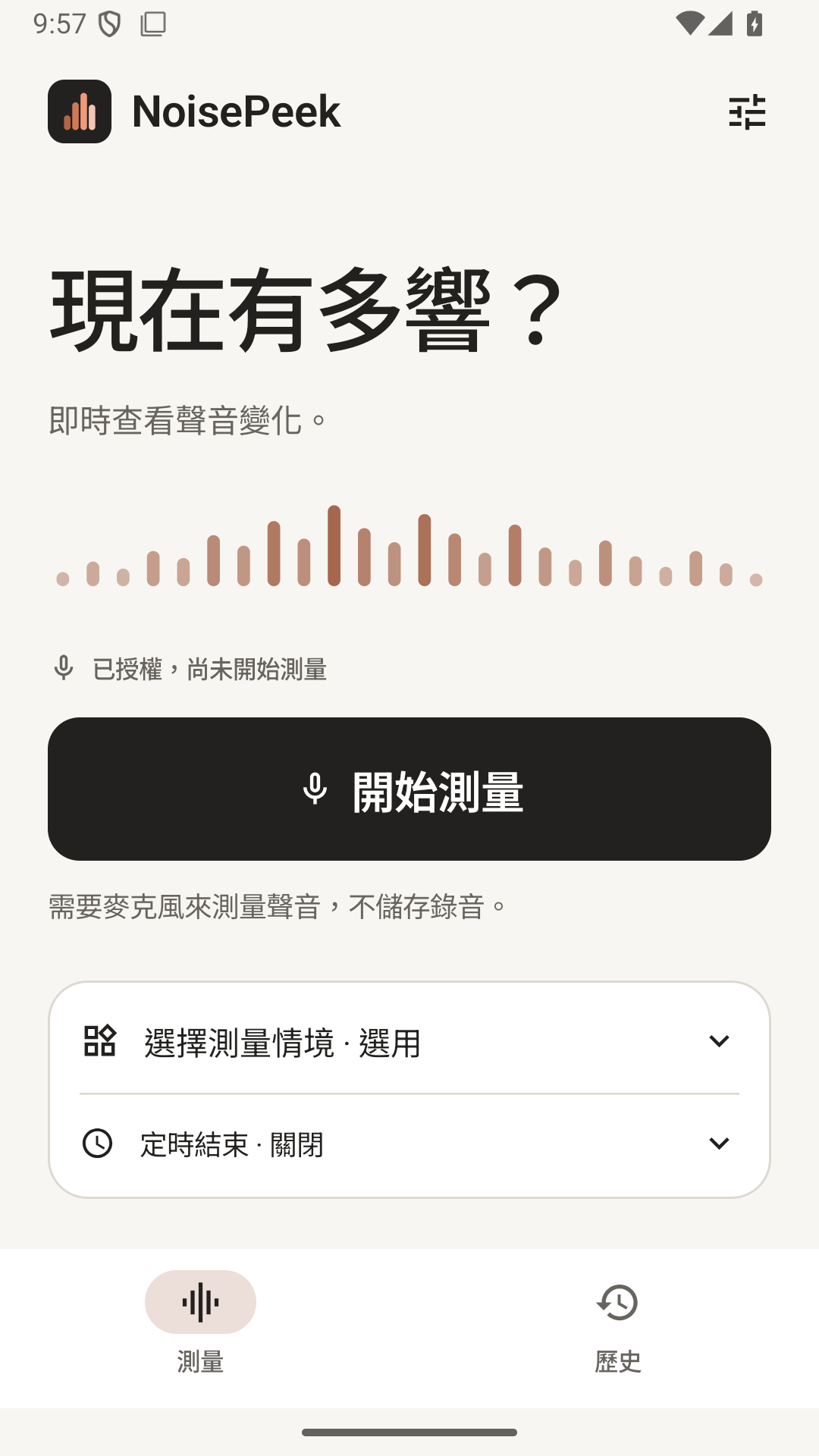
周圍到底有多吵?用 NoisePeek 即時查看聲音大小、觀察變化趨勢,並分享測量報告。點一下開始即可測量,不必填寫表單,也不必在首次使用時手動校準。

首發免費、無廣告。即時測量、紀錄比較、基礎 PDF 報告與 CSV 匯出均不需 App 內購買。介面支援英文、西班牙文、簡體中文與繁體中文。

五個可選測量情境
• 房間測量:查看家中、飯店或辦公空間的背景聲音。
• 家電噪音:測量風扇、冷氣等設備,比較不同設定。
• 前後比較:比較關窗或調整房間前後的聲音變化。
• 鄰里噪音:記錄室內聽到的噪音與測量時間。
• 汽車試駕:使用同一支手機,在相近條件下比較車內噪音。
也可以不選情境,直接開始一般測量。情境用來引導測量,不會自動辨識聲音來源。

輕鬆開始測量
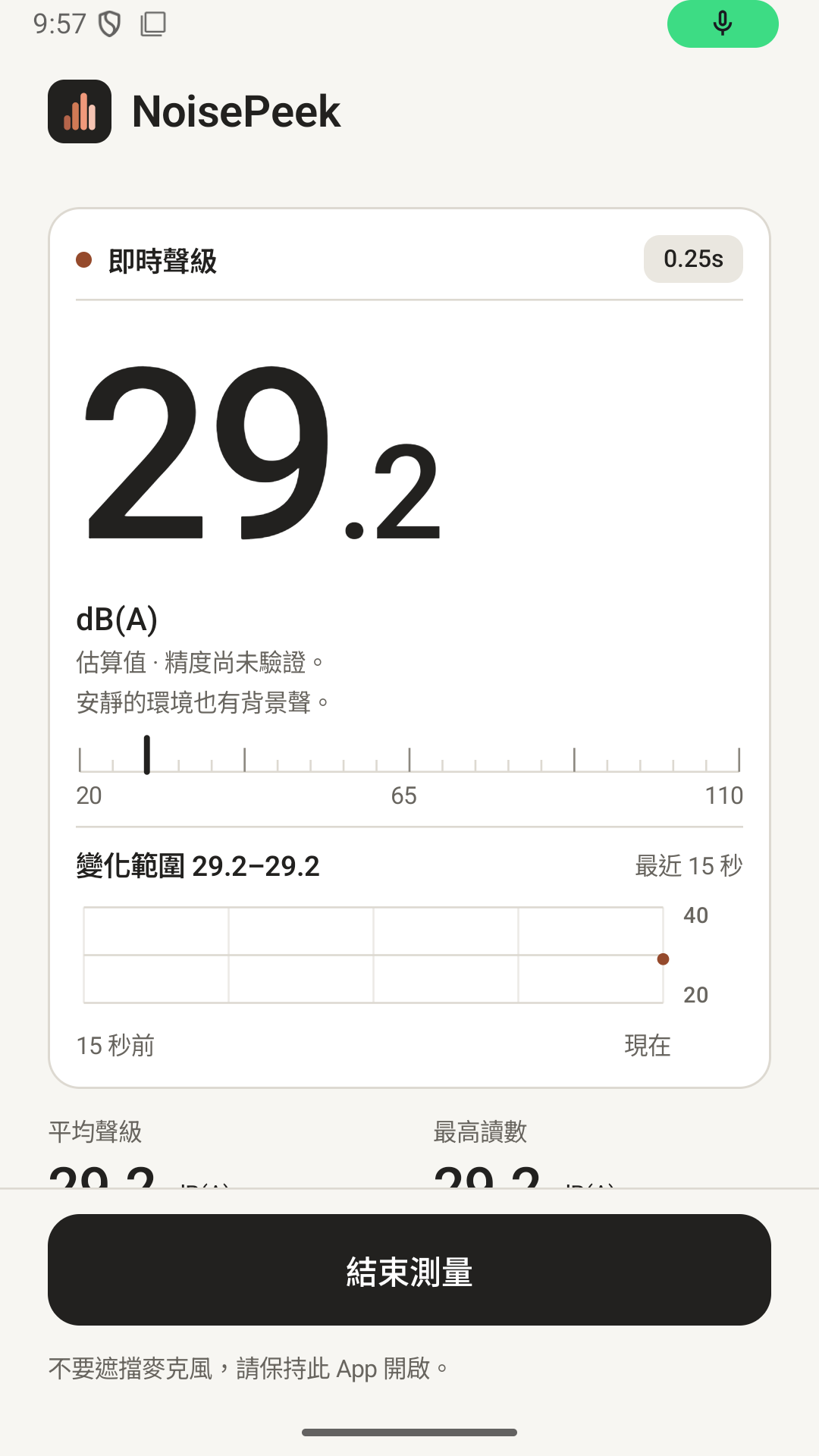
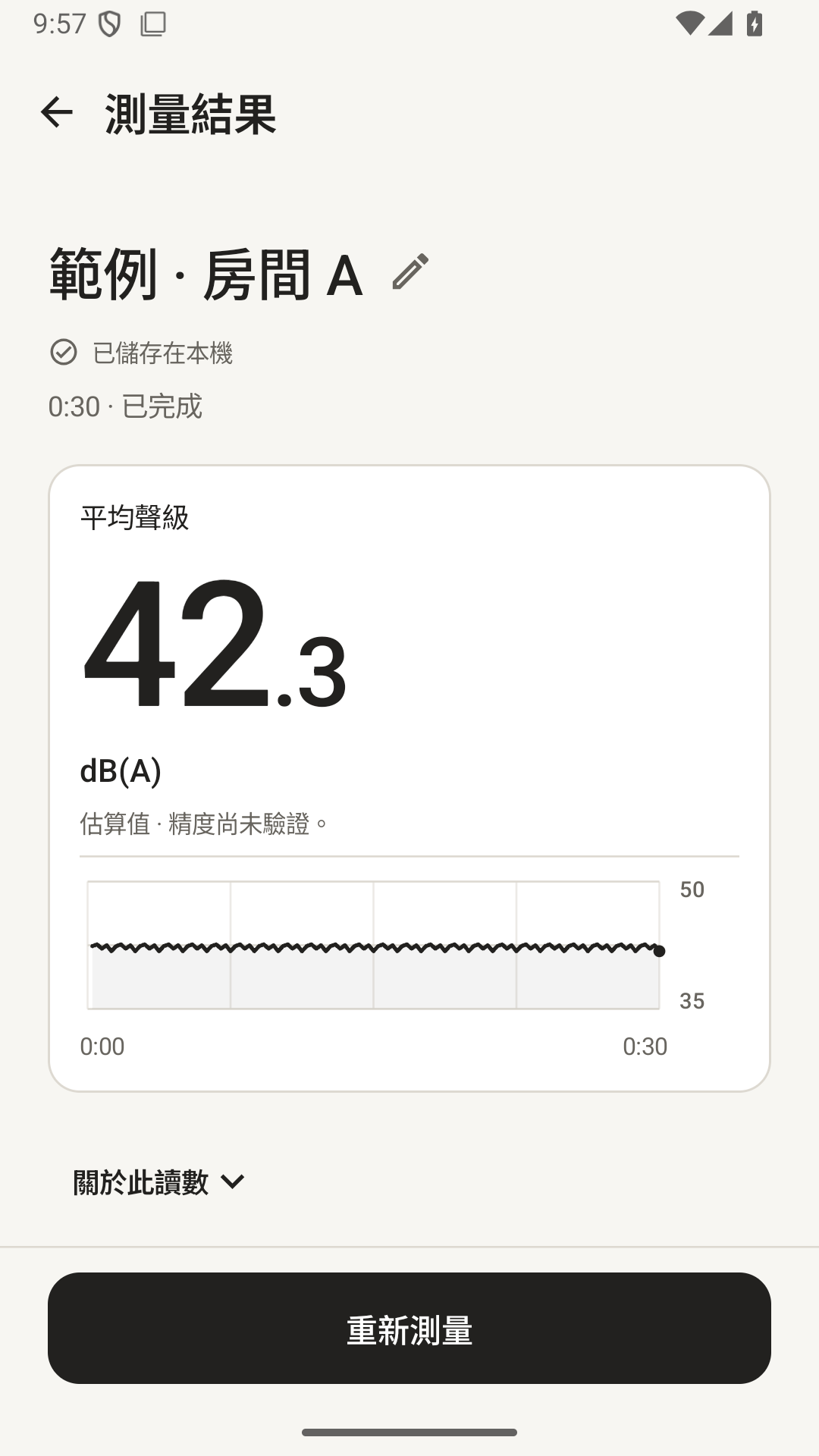
• 預設持續即時測量,手動結束;也可選擇 30 秒、60 秒或 5 分鐘定時結束。
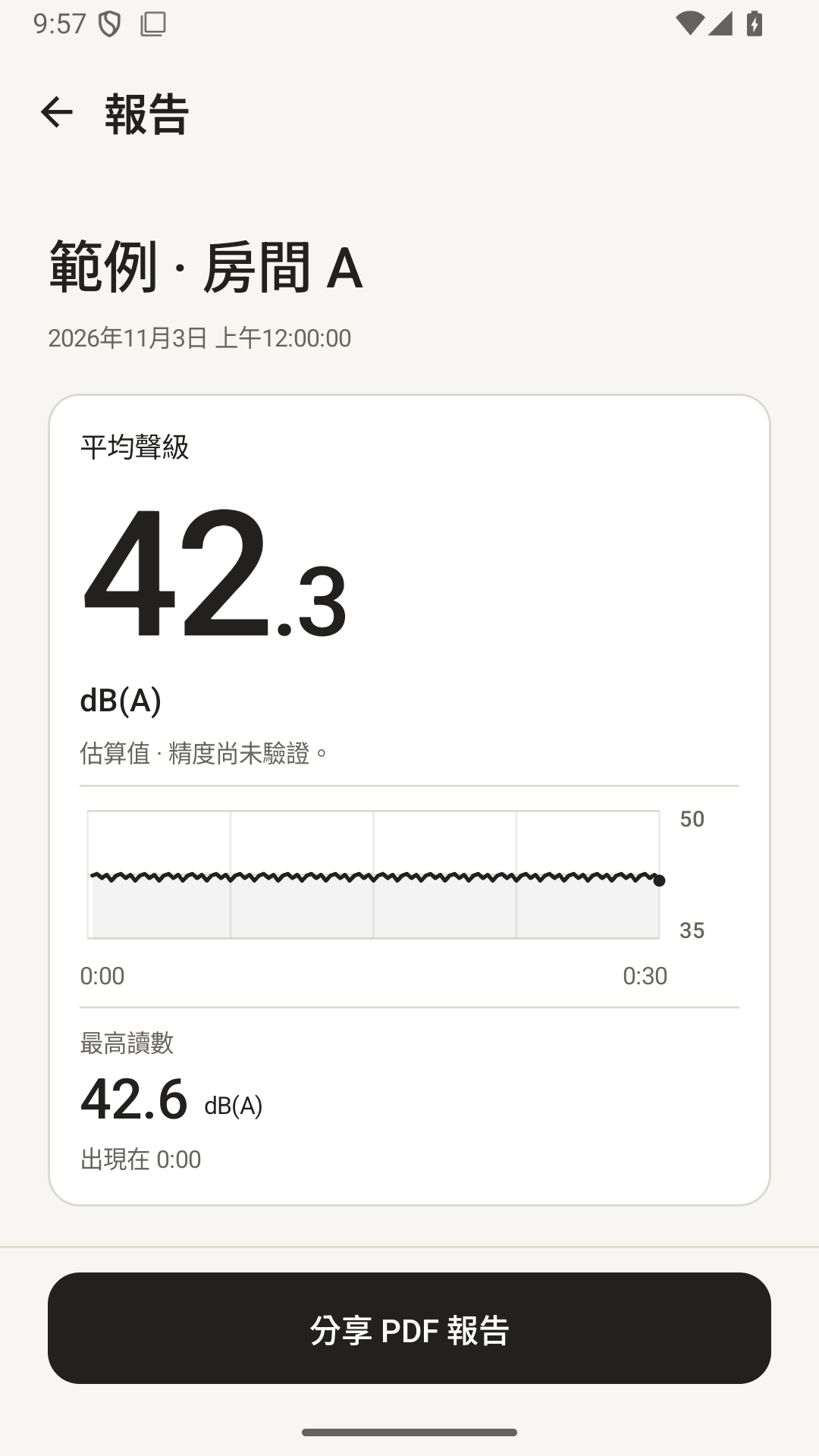
• 查看目前讀數、平均聲級與最高讀數。
• 自動命名,有空間時自動儲存,不必填寫表單,也不必在首次使用時手動校準。
• 測量時請將 App 保持在前景。離開 App 會結束測量,並將已有讀數保留為部分結果。

搭配條件比較
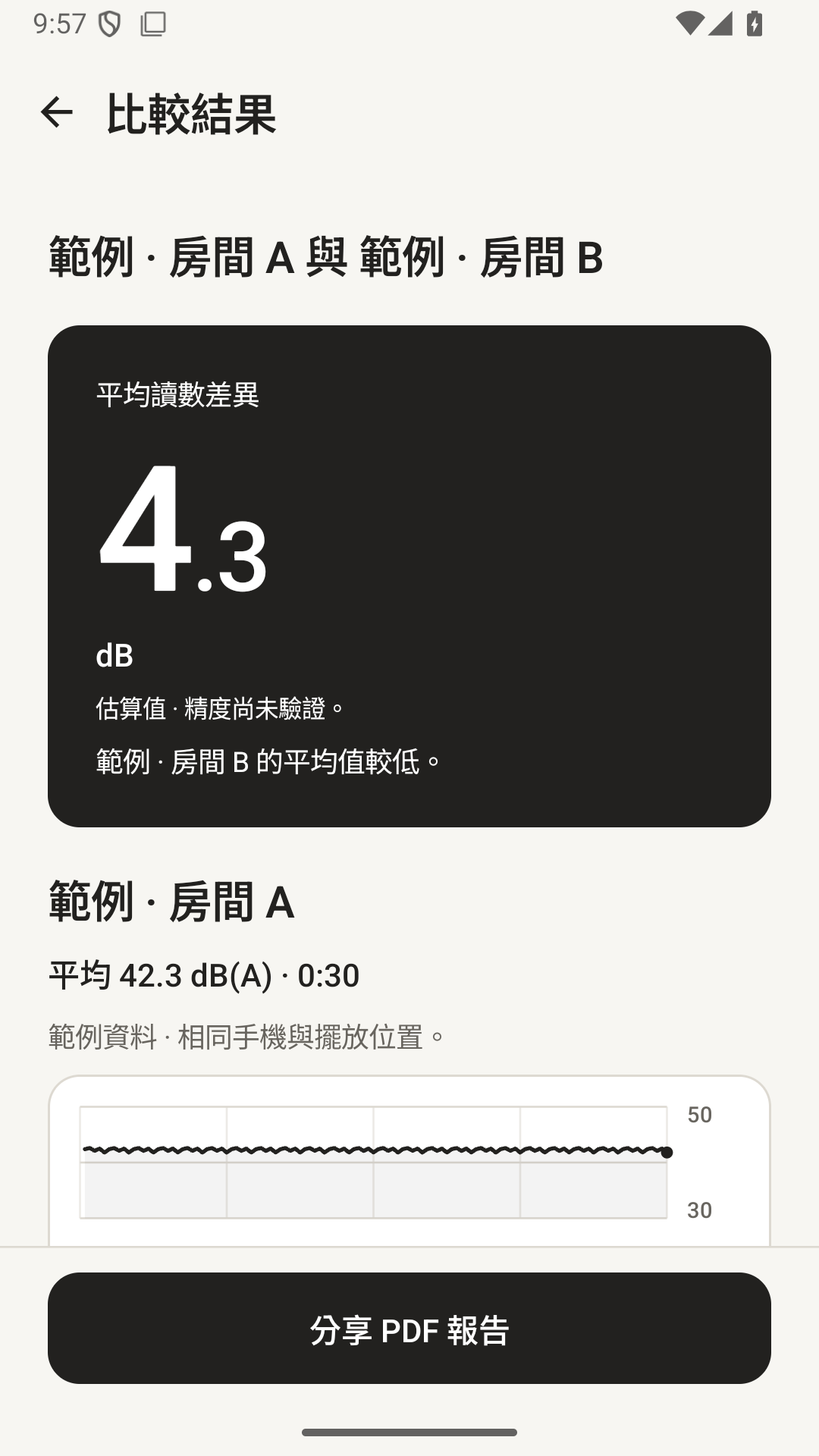
一般測量可比較不同時長的記錄,同時註明各自測量時段;汽車試駕比較仍要求時長一致。
使用相同手機、麥克風輸入與讀數依據,比較兩筆相容紀錄。試駕前不必先選道路;停車後可選填市區道路、高速公路與備註。比較時請保持手機位置、路線、車速與車內設定一致。行駛期間應由乘客操作。車內讀數並不是隔音評等。

目前版本包含的功能
即時測量、試駕、相容紀錄比較、PDF 報告與 CSV 匯出均不需 App 內購買。本機最多儲存 10 筆測量紀錄。歷史紀錄額滿時仍可測量,也可查看或匯出這次結果。若要儲存,手動刪除一筆舊紀錄,再到歷史頁點「儲存測量」。

資料留在本機
不需帳號,沒有廣告。音訊只在手機上處理,不會儲存錄音。數值紀錄保存在 App 的本機儲存空間;只有你選擇接收 App 後才會分享報告。解除安裝或清除 App 儲存空間會刪除本機紀錄與設定,不會刪除其他 App 已保留的副本。

選擇適合你的介面
支援英文、西班牙文、簡體中文與繁體中文,可選擇黑白暖灰、暖銅色或深梅色主題,以及淺色、深色或跟隨系統的外觀。

正確理解讀數
讀數屬於手機估算。預設 dB(A) 根據 Android 名義麥克風輸入響應換算,尚未驗證個別裝置的準確度;可選用真實參考聲級計調整。平均值整合擷取的聲音能量;最高讀數是最高的 250 ms 能量取樣區間,不是瞬時聲學峰值,也不是 IEC Fast/Slow 最大值。NoisePeek 並非經認證的聲級計,不能用於證明法律或職業噪音合規。

長時間測量會彙整較早的趨勢,保留全程能量平均值、最高 250 毫秒讀數、異常計數與近期明細。CSV 會標明彙整區間。